You know the feeling. Row 14 is cramped. The air is stale. The noise is constant. You pay $20 for the connection just to disassociate from the physical discomfort.
You think you are buying a service. You are actually paying for vulnerability.
I analyse network security for a living. I avoid public hotspots on the ground. But in the air? I refuse to touch them without layers of protection.
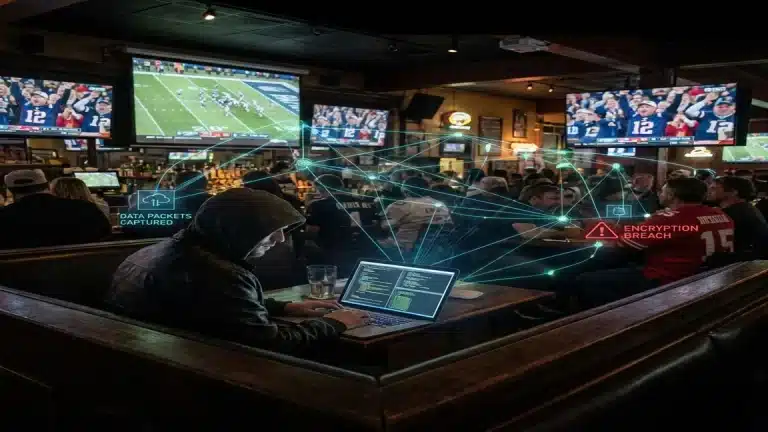
The reality of modern travel is harsh: The person in 15C might not be watching a film. They might be watching your network traffic.
This is not paranoia. It is radio physics. The airlines optimize for convenience, not your privacy.
Status: Zero Encryption
Connect to “Delta_WiFi” or “United_Inflight”. Look for the lock symbol. It is missing.
In-flight networks are almost always open.
This means your data leaves your device in a readable format. It is a radio broadcast. Any standard antenna can pick it up. If you are not using encryption, you are broadcasting your secrets to the entire cabin.
Browsing a website without strict HTTPS? I can see the text. I can see the images. I can capture the forms you submit.
The Clone Hotspot
This attack is simple and devastating. It bypasses almost every defense the average user has.
Attackers know you are desperate for a signal. They capitalize on that desperation.
The Mechanics:
- I bring a small router on board.
- I broadcast a network named “AA_Inflight_Free”.
- I boost the signal power. Your phone prioritizes my stronger signal over the plane’s weak access point.
- You connect to me.
This is the Evil Twin method.

I can replicate the captive portal—the login screen—pixel for pixel. You enter your Frequent Flyer credentials. You enter your credit card.
The Credentials are Gone.
I capture them instantly. Then I pass your traffic through to the real internet. You never notice a thing. You check your email, unaware that I have your session tokens.
You ensure they cannot reset your passwords. You are stuck.
The “Free Trial” Trap
You see a pop-up: “Free 30 Minutes for T-Mobile Users”.
It looks legitimate. But often, it is a phishing page designed to harvest credit card numbers for a “verification fee”.
If you enter your card details and the connection fails? You assume the Wi-Fi is broken. In reality, your card data just went to a server in a non-extradition country.
Three Lies You Tell Yourself
“I am just checking sports.”
It does not matter. Your phone works in the background. It syncs email. It updates contacts. It backs up photos. If any of these background processes use an insecure handshake, your authentication keys (cookies) are vulnerable. If I steal the cookie, I steal the session.
“My iPhone is secure.”
Hardware security does not fix network insecurity. If an iPhone sees a familiar network name (SSID), it joins automatically. Once joined to a malicious node, the operating system simply trusts the data flow. It cannot detect that the router is intercepting packets.
“Incognito Mode is enough.”
This is a fatal error. Private browsing prevents your device from logging history. It does not stop the router from logging your traffic. To an attacker, “Incognito” traffic is just as visible as any other web request.
Data Surveillance
Even if you use a VPN, the airline’s system still logs metadata. They know:
- Your Device: Model, OS, MAC address.
- Your Connection Times: When you connected, how long you stayed online.
- Your Habits: They know which dating apps you open. They know how long you spend on gambling sites.
This data is sold. That is the business model. If you want to know how deep this tracking goes (and how to wipe it), read my guide on how to delete yourself from the internet.
Real-World Scenario: The “Marcus” Error
Marcus is a sales director. He flies often. Last month, he needed to approve a contract in Salesforce on a flight to London.
He connected.
He saw the HTTPS lock icon on the Salesforce URL.
He thought he was safe.
He was unaware that an attacker on the flight was using SSL Stripping.
The Protocol Downgrade:
This technique forces your device to drop encryption protocols. The attacker sits between you and the ground station. When you request a secure site, the attacker strips the encryption layer and serves you a plain HTTP version.
You see the valid URL. You see the content. But the “S” in “HTTPS” is gone. Because the airline portal often doesn’t force strict transport security (HSTS), your browser accepts the downgrade without warning.
Marcus didn’t notice the lock icon disappear. It is a tiny UI change. But the difference is total exposure.
He entered his credentials. The attacker captured them in a readable, unencrypted format. By the time Marcus landed, the attacker had downloaded the entire client list. Marcus was fired for the breach.
The Frequent Flyer Vulnerability
Most passengers use the same email and password for their airline account as they do for their primary email or bank.
When you log in to the inflight Wi-Fi using your “SkyMiles” or “MileagePlus” credentials, you are potentially exposing those keys to the local network. If that login page is unencrypted (HTTP) or spoofed by an Evil Twin, I have your master password.
The Fix: Use a unique password for airline accounts. Do not reuse your banking password to earn points. If the airline account gets compromised during the flight, the damage is contained to your miles, not your life savings.
The Corporate Target: Why You Matter
You might think “I am nobody. Why would anyone hack me?”
If you are flying Business Class on a route like NY-London or SF-Tokyo, you are not a “nobody”. You are a high-value target.
Competitors and state-sponsored actors know that executives work on planes. They know that merger documents, IPO details, and legal briefs are opened on these flights.
Stealing a credit card is petty theft. Stealing a pre-release earnings report? That is worth millions in stock trading.
Airlines provide the perfect environment for this. The executives are bored. They are stressed. They feel physically secure in their expensive seats. They lower their digital guard.
The Shared Network Illusion
Do not mistake physical separation for digital isolation.
You might have a curtain separating you from the main cabin. You might have a lie-flat seat. But in terms of network topology, the plane is a flat surface.
Lateral Movement is Easy.
Wireless access points on planes rarely implement “Client Isolation”. This means device A can talk to device B directly. It does not matter if Device A is in the tail section and Device B is in the nose.
Any compromised device on the network becomes a pivot point to attack others. The physical barriers of the cabin—curtains, galleys, bulkheads—do not exist in the radio spectrum.
Defensive Measures
I never travel offline, but I never travel unprotected. I assume every public network is hostile. For a comprehensive toolkit on securing your entire trip, not just the flight, see my protocol on the best VPN service for traveling.
1. For Solo Travelers: NordVPN
This is the standard tool for a reason.
I use it for the Meshnet feature, which handles the high latency of satellite internet better than most protocols. More importantly, the Threat Protection bloacklist prevents your device from resolving domains known to be used by hackers.
Pro Tip: Obfuscated Servers.
Some airlines block VPN ports (like OpenVPN’s UDP 1194). Nord offers “Obfuscated Servers” that disguise your VPN traffic as regular HTTPS traffic. This punches through the airline’s firewall when standard connections fail.
The encryption effectively blinds anyone watching. My traffic becomes unreadable noise. They can see I am sending data, but they cannot decipher it.
The Network Lock: If the connection to the VPN server drops, this feature cuts internet access entirely. It prevents accidental leaks of unencrypted data.
2. For Families: IPVanish
Travel means multiple devices. Phones, tablets, consoles. Standard limits are annoying.
IPVanish has no device cap.
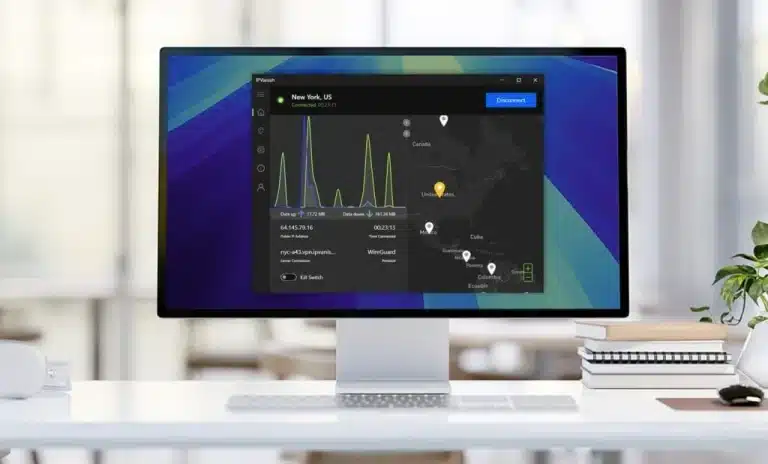
I use this when flying with groups. On a recent trip, I secured five devices—mix of Android, iOS, and a gaming console—on a single login. The speed remained usable. The interface favors function over form, but when the goal is basic tunnel security for a family, it works effectively.
3. For Budget Users: PureVPN
If you fly rarely, you might not want a premium subscription.
PureVPN is often the superior choice for cost-efficiency. Their long-term pricing is extremely low.
It lacks advanced routing features like Meshnet, but it performs the core task well.
It wraps your traffic in encryption.
It turns an open connection into a private tunnel. For an attacker scanning for easy targets, encrypted data is a waste of time. They will move on. It is the digital equivalent of locking your car doors; a determined professional could still break in, but the opportunist in seat 22A will choose the unlocked car next to you.
Pre-Flight Protocol
You cannot install these tools in the air. The onboard network will block the download domains.
- Install the application while you have a secure ground connection.
- Log in and verify your account status is active.
- Update to the latest build to ensure critical patches are present.
- Test the connection once to confirm the handshake succeeds.
Final Thought
The sky is an unregulated zone for data. There are no administrators protecting your session. It is you against the network.
Do not be the easiest target on the plane.
Stay paranoid. Stay safe.