
Warning: The Nuclear Option
This is not a “privacy tips” list. This is scorched-earth.
Follow this, and you lose accounts. “Friends.” You become invisible. If you need Instagram likes for dopamine? Stop reading.
You Googled your name. Saw your address. Panicked. Now you want to know how to delete yourself from the internet completely.
It happens. You think you are private. You aren’t. 4,000+ companies trade your data. Mortgage payments. Shoe size. Where you sleep.
Most guides say “adjust settings.” Useless.
You don’t need settings. You need the Digital Ghost Protocol.
I spent 10 years in InfoSec. Helping people vanish. Here is the process.
Step 1: The Parasitic Industry (Data Brokers)
The real enemies? Whitepages. Spokeo. BeenVerified. They scrape public records. Package your life. Sell it for pennies.
Delete Facebook? Irrelevant. Brokers already have the file.
Two choices.
Option A: The Automated Nuke (Recommended)
I use tools. Why? Manual removal is full-time work.
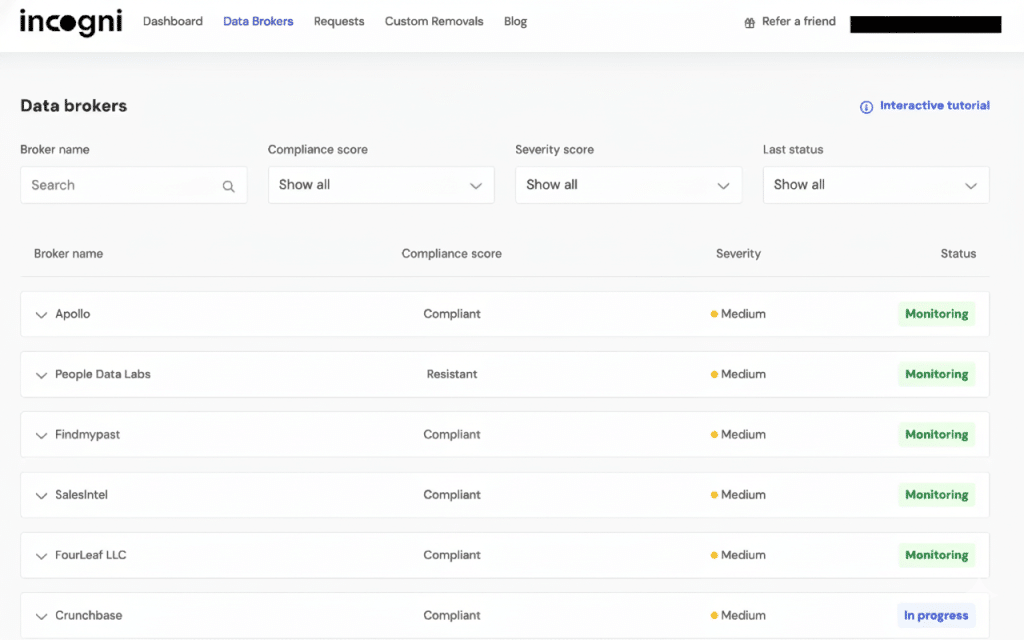
Brokers re-list you every 3 months. You delete. They find you. Whack-a-Mole.
I use Incogni (surfshark team). It sends 180+ legal requests. Automatically. Fights the lawyers for you.
Option B: The Manual Slog (Free)
Have zero budget? You can do it yourself. But prepare to suffer. I once spent 45 minutes finding a “delete” button on a single site.
1. Whitepages
- Go to: whitepages.com. Search your name.
- Copy URL: Open your profile. Copy the link.
- The Footer Hunt: Scroll down. Click “Do Not Sell My Personal Information.”
- Submit: Paste the URL. Verify with a phone number (Use a burner VoIP number, never your real one).
2. Spokeo
- Go to: spokeo.com/optout.
- Search: Find your profile. Copy the URL.
- Email: They ask for email to “verify.” Use a burner email (TempMail or SimpleLogin). Do not give them your main Gmail.
3. BeenVerified
- Go to: beenverified.com/app/optout/search.
- Search: Find your record.
- Verify: Enter email. Click link. Wait 24 hours.
The Loophole: When you opt out, they delete your current record. You move? New record. They treat “John Smith, 123 Main” and “John Smith, 456 Oak” as strangers. Two records. Double the data. Stupid? Yes. But you must check every 3 months.
Step 2: Social Media Suicide
Social media is surveillance. Voluntary surveillance.
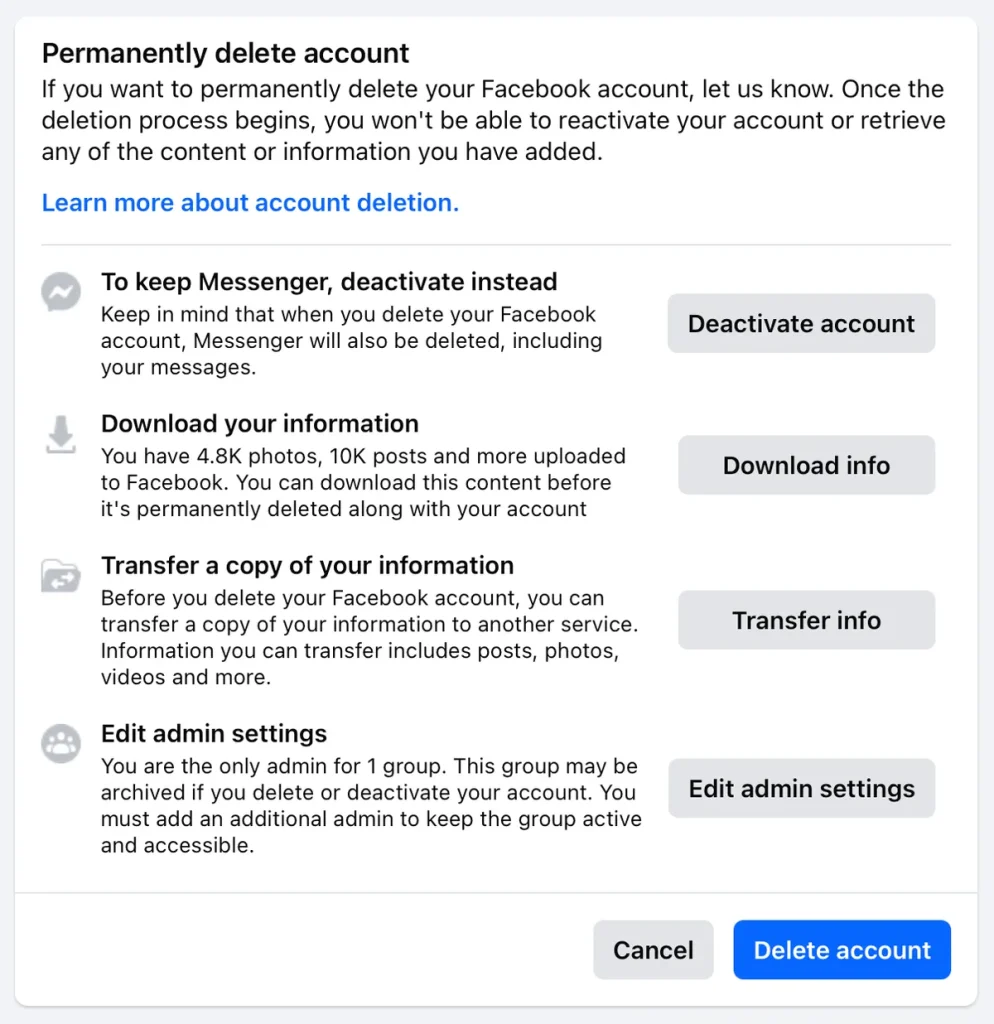
Do not “Deactivate.” Deactivation is a pause button. Facebook keeps the data. You need to Delete.
The Facebook Protocol
- Download your data (Settings -> Your Information). Save the photos.
- Go to Accounts Center -> Personal Details.
- Select Account Ownership and Control.
- Choose Deletion. Not deactivation.
They will give you 30 days to “change your mind.” Do not log in. If you log in via Spotify or Tinder, the timer resets.
The Twitter/X Protocol
You can’t delete instantly. Deactivate first.
Don’t touch the app for a month. If you log in once, the timer resets. Set a reminder.
The “Poisoning the Well” Tactic
This is important. Before you delete, corrupt the data.
If you just delete, the old backup exists. But if you change your name to “John Doe,” your city to “Antarctica,” and your photo to a cat before hitting delete? You pollute the archive. Efficient.
Step 3: The “Zombie” Account Hunt
You have accounts you forgot. The MySpace profile from 2008. The forum login from 2012. The random shopping site you used once.
These are “Zombie Accounts.” They sit there. They get hacked. They leak your password.
The Search Trick
Go to your main email. Search these keywords:
- “Verify your email”
- “Welcome to”
- “Confirm your account”
The list will be endless. Ignore the noise. Focus on the threats:
- Financial: PayPal, Amazon, Crypto exchanges.
- Storage: Dropbox, Google Drive (old scans of passports?).
- Travel: Booking.com, Airbnb (they know where you slept).
No delete button? Hidden by design? Use JustDelete.me. It links directly to the hard-to-find cancellation pages.
Step 4: Blind The Eye of Sauron (Google)
Google knows you better than your spouse.
Use “Results About You”
Google has a new tool. It is surprisingly good.
- Open the Google App on your phone.
- Tap your face (Profile).
- Select “Results about you”.
- It scans for your phone number and address.
- Tap “Remove”. Google delists those pages.
Nuke Location History
Go to your Google Timeline. It shows everywhere you have walked for the last 5 years. Creepy?
Delete it. Turn “Location History” to OFF.
Set “Auto-Delete” to 3 months. Force Google to dump your data regularly.
Step 5: Financial Ghosting (Payment Privacy)
You buy something. You type your name, address, card number. You just handed a stranger your identity. If that shop gets hacked? You are exposed.
Stop using your real card.
The Virtual Card Strategy
Use a service like Privacy.com.
- Merchant Locking: Create a card that only works at Netflix. If a hacker tries to use it at Amazon? Declined.
- Burner Cards: Create a card for a one-time purchase. Buy the item. The card self-destructs.
- Fake Names: You can use any name on the billing address. Be “Bruce Wayne” if you want. It still clears.
Step 6: Mobile Lockdown
Your phone is a tracking beacon. It broadcasts your location 24/7.
For iPhone Users
- App Tracking Transparency: Find “App Tracking.” Switch it off. Deny everything.
- Significant Locations: Go to Privacy -> Location -> System Services. Turn off “Significant Locations.” Apple tracks where you sleep and work. Stop it.
- Advertising ID: Reset it.
For Android Users
- Delete Advertising ID: Settings -> Privacy -> Ads. Delete it. You become a new person to advertisers.
- Permissions Audit: Why does your Flashlight app need Location access? It doesn’t. Revoke it.
Step 7: The Shield (Prevention)
You scrubbed the past. Now secure the future. If you don’t change your habits, you will fill the databases again in a week.
1. VPN (Required)
Your ISP is monitoring you. Legal in the US. They package your browsing history and sell it.
A VPN blinds them. It replaces your IP address with a generic one.
- The Heavy Hitter: NordVPN. I tested their RAM-only servers. They work. They are fast.
- The Traveler: If you are constantly on hotel Wi-Fi, read my Travel Security Protocol. Never connect naked.
2. Kill Chrome
Chrome is spyware. It is an ad-delivery platform disguised as a browser.
Switch to Brave. It uses the same engine (Chromium), so your extensions work. But it blocks trackers and fingerprinting by default. It is faster because it doesn’t load the junk.
3. Burner Emails
Never give your real email to a random website. Use an alias.
Use SimpleLogin (owned by Proton) or AnonAddy. It creates a fake email (`[email protected]`). It forwards to your real inbox.
Scenario: The pizza shop spams you? You delete the alias. Your real inbox stays clean. You never see the spam.
4. The Burner Phone Strategy
Giving your phone number to a website is dangerous. It is a unique identifier.
Solution: Use VoIP.
- Google Voice: Free. Good for generic signups.
- MySudo: Better. Paid. Allows multiple identities (Business, Dating, Shopping).
- Mint Mobile: Buy a cheap prepaid SIM with cash. Put it in an old phone. This is your “dirty” phone. Keep your main phone clean.
Step 8: The Dark Web Scan
Dark web data stays forever. You can’t scrub it. But you can render it useless. Burn the access codes.
Check the Breaches
Visit Have I Been Pwned. Input your email.
- Green? Clear.
- Red? Leaked. It lists the sources (LinkedIn. Dropbox. Adobe).
The Fix
- Recycling? Using the same password elsewhere? Change it. Immediately.
- Entropy: Brains are bad at encryption. Use Bitwarden (Free) or 1Password. Create a 30-digit nightmare key for every account.
Xy9#mP2.... Uncrackable.
FAQ: The Reality Check
Can I delete everything?
No. You can’t delete court records. You can’t delete a marriage license. You can’t delete an arrest record. Those are public government files. But you can delete the sites that make them easy to find (Google results).
What is the time cost?
Automated (Incogni)? 15 minutes setup. Results in 30 days.
Manual? 50+ hours. It is miserable.
Can the police track me?
Yes. If they have a warrant, a VPN won’t stop them. This guide stops corporations and stalkers. Not the FBI.
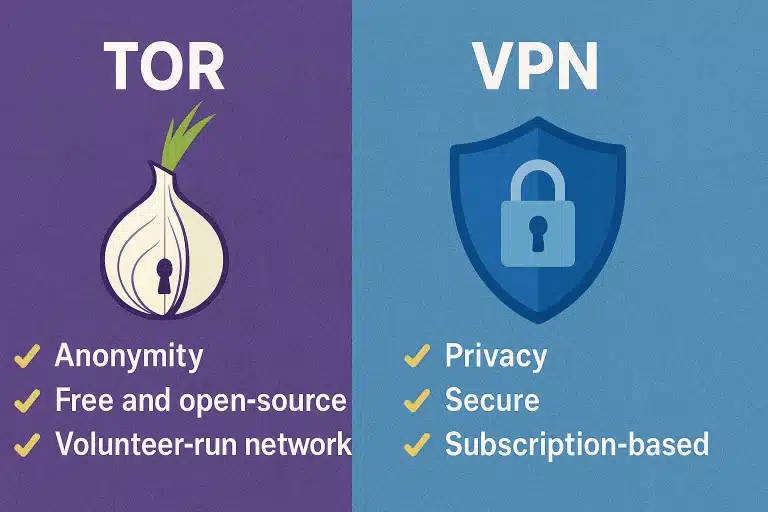
Is Tor better than a VPN?
Tor is for anonymity. VPN is for privacy. Tor is slow. Painfully slow. Unless you are a whistleblower, a VPN + Brave browser is the sweet spot for daily use.
The Bottom Line
Privacy is not convenient. It is a chore.
But the alternative? Being an open book.
Start today. Delete one account. Send one opt-out request. It takes time. But it works.