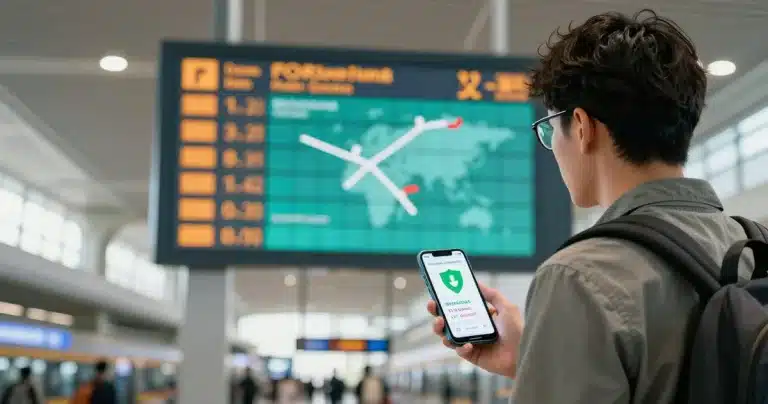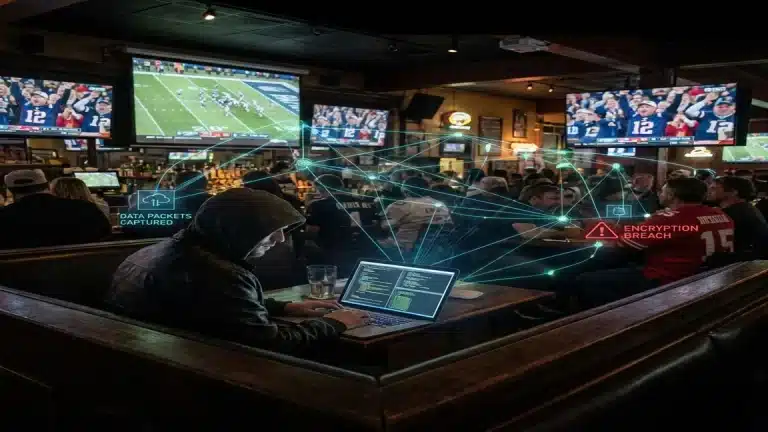

The TL;DR: hotel wi-fi security is nonexistent. The network you are trusting is often an open broadcast. Hackers park in lobbies and spin up “Clone Nodes” to capture your data.
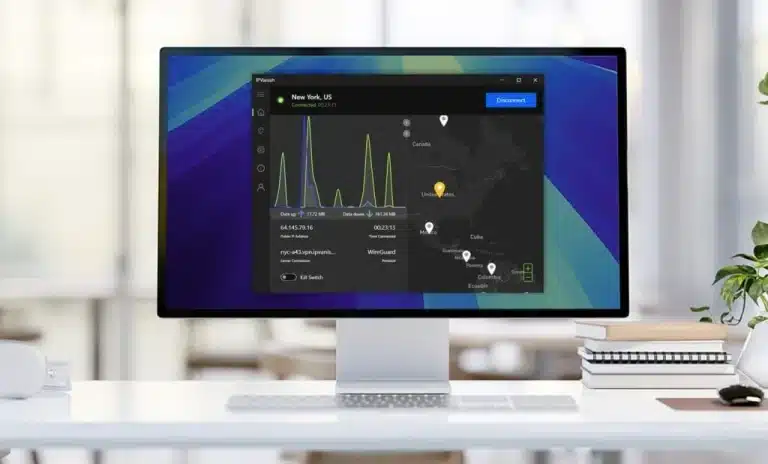
You need to scramble your data stream. I use NordVPN because its Threat Protection stops malware payloads before they land. It is the gold standard for hotel wi-fi security.
The “Room 303” vs. “Room 3O3” Scam
You survived the flight. You followed my advice on why plane Wi-Fi is a trap. Now you are at the hotel.
The Trap: You land at the hotel. Exhausted. You toggle Wi-Fi. You see Marriott_Guest and Marriott_Premium.
Logic says “Premium” is faster. You click it. Enter your room number. You’re online.
You just fed your credit card info directly to a stranger’s laptop in the lobby.
2. The “Twin Node” Attack
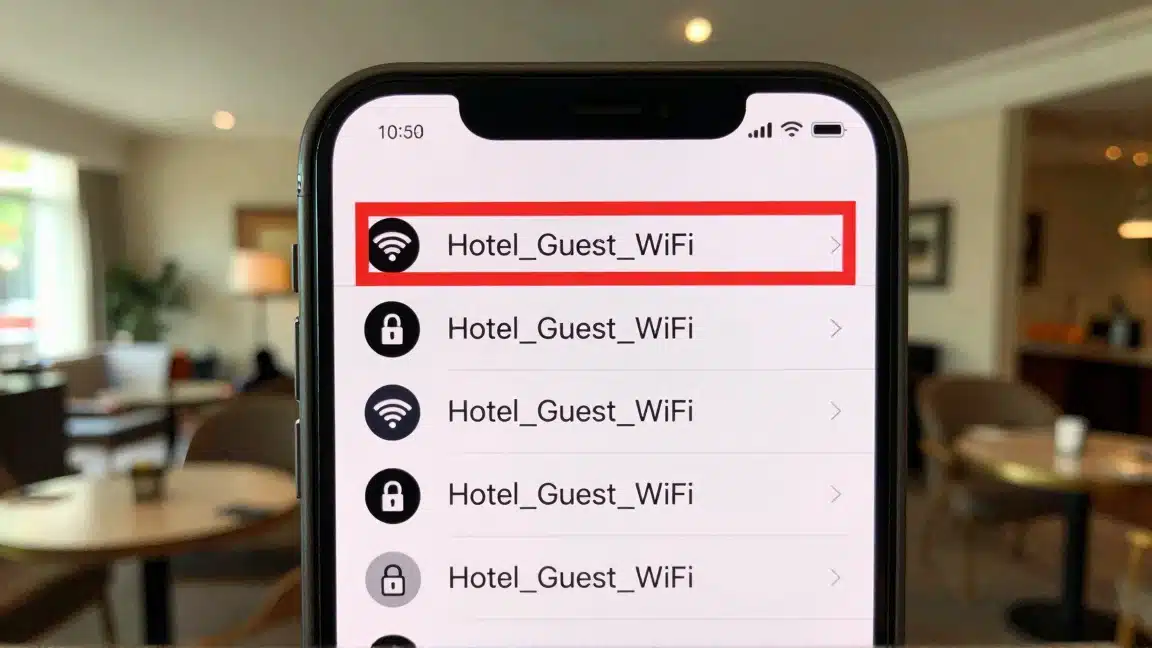
Most hackers are lazy. Why crack a password when you can copy it?
They buy a cheap Wi-Fi spoofing tool. They name the network “Hilton_Honors”. Then they grab a beer at the hotel bar.
Your device sees two networks. It picks the one with the stronger signal. That is usually the hacker sitting 30 feet away, not the router installed on the ceiling.
Once you connect, every packet of data travels through their hardware. They aren’t staring at a screen; they are scraping your session tokens. This completely bypasses standard hotel wi-fi security measures.
My Rant: I paid £20 for connectivity at a London hotel. I scanned the subnet. 400 devices were completely visible. No segmentation. No privacy. It was a digital open house.
Why Hotel Wi-Fi Security is Smoke and Mirrors
You might think, “But Marius, there is a password. It must be safe.”
Wrong. That password grants access; it does not grant privacy.
In countless hotels, Network Isolation is disabled. This means your computer can ping the computer next door.
This flaw in hotel wi-fi security allows attackers to jump from device to device. If your neighbor is running a packet sniffer, they can watch your requests. They can scan your open ports. They can try to push a payload to your machine.
And consider the admin. Do you trust the IT contractor at a budget inn with your traffic logs? In many regions, hotels must log browsing history for state surveillance. In others, they monetise that data.
The only escape is to tunnel your traffic through a VPN.
Case Study: The “Clone Network” Trap
The Scenario: You check into the “Marriott”. You scan for internet. You see “Marriott_Guest” and “Marriott_Free_WiFi”.
One is the hotel. The other is a trap set by a guest in the lobby.
The Attack: The hacker creates a copycat node. If you join it, they own your session. They strip SSL. They record passwords.
The VPN Defense: A VPN builds an encrypted tunnel inside that compromised connection. The attacker sees you are online, but they cannot read the packets. It looks like static.
Advanced Threat: The “DarkHotel” APT
This is a confirmed state-level campaign. The FBI and Kaspersky have tracked it for years. It targets specific guests.
Target: C-suite executives.
The Method:
- You join the network.
- You see a prompt: “Adobe Update Required”.
- It looks real. It has digital certificates.
- You click it.
- Access Granted. They have a backdoor.
This is precision targeting, not random spam.
If you are a target, a VPN limits the interception capabilities required to inject that fake update. It adds a necessary friction layer to your hotel wi-fi security.
Deep Dive: The Risks of Public USB Charging Stations (Juice Jacking)
Speaking of things you shouldn’t trust: the USB port built into your nightstand.
Avoid them.
This attack is known as “Data Siphoning”, and it circumvents your software-based hotel wi-fi security. A modified port can transfer files or install a payload the moment you connect. USB is a data lane, not just a power lane.
The Fix: Use your own brick. Plug into the 110V/220V outlet. Or carry a “Data Blocker” dongle. It physically removes the data pins, turning any USB cable into a dumb charging cable. Your hotel wi-fi security plan should include physical port discipline.
3 Best Tools for Hotel Wi-Fi Security (2026 Tests)
I’ve tested over 40 VPNs in hotels across Europe, Asia, and the US to find the best solutions for hotel wi-fi security. Most fail because they can’t handle the “Captive Portal” login.
1. NordVPN: The Gold Standard for Hotel Wi-Fi Security
Best For: Maximum Security & Malware Blocking
When I join a public network, I assume it is compromised. I deploy NordVPN because the Threat Protection engine filters traffic at the DNS layer. It drops malicious requests before they render.
Also check out the Stealth Servers. Many hotels restrict VPN ports to force you onto business plans. Nord wraps your packets in SSL/TLS. The firewall sees “HTTPS”, not “WireGuard”.
- Velocity: NordLynx offers near-native speeds.
- Privacy: RAM-based infrastructure. No physical storage.
- Value: Just under $3/mo.
2. Surfshark: The Family Shield
Best For: Unlimited Devices & Budget
Most hotel wi-fi security plans fail when you have a family. Mom needs safety. The kids need iPads. Dad needs his laptop.
Most VPNs cap you at 5 devices. Surfshark allows unlimited connections.
I tested this at a Marriott. I connected my laptop, phone, tablet, and a travel monitor. No speed drops. Their “NoBorders Mode” is excellent for hotel wi-fi security because it automatically activates when it detects a restrictive network.
It scrambles the traffic to look like normal browsing, bypassing the hotel’s throttle. I also love their CleanWeb 2.0 feature, which is aggressive at blocking the pop-up ads that budget hotels love to spam you with.
And if you’re really paranoid (like me), you can use their Dynamic MultiHop to route your traffic through two different countries. This makes it twice as hard for anyone to trace you, adding a massive layer of hotel wi-fi security.
- Speed: Very good (WireGuard).
- Security: Rotating IP, No-Borders Mode.
- Price: ~$1.99/mo.
3. PureVPN: The Budget “Anti-China” Option
Best For: Extreme Value & Obfuscation
If your budget is tight, PureVPN is the fallback. It costs less than the minibar water.
I recommend it for hotel wi-fi security due to its aggressive “Obfuscation Mode”. It masks packet headers to look like standard web traffic.
This is vital if the hotel uses Traffic Analysis tools to block VPNs.
- Capacity: 20Gbps server infrastructure.
- Encryption: AES-256 standard.
- Cost: ~$1.99/mo (5-year plan).
The Portal Problem (Login Pages)
You connect. No internet. The login screen won’t load. The VPN is blocking the portal from seeing your device.
The Bypass:
- Drop the VPN tunnel.
- Join the Wi-Fi.
- Force the redirect: Enter
http://neverssl.com. - Authenticate.
- Re-establish VPN Tunnel.
Pro Tip: If you lose connection after a few hours, the hotel’s “lease” on your IP might have expired. You’ll need to repeat this process.
Travel Router: The Ultimate Hotel Wi-Fi Security Hack
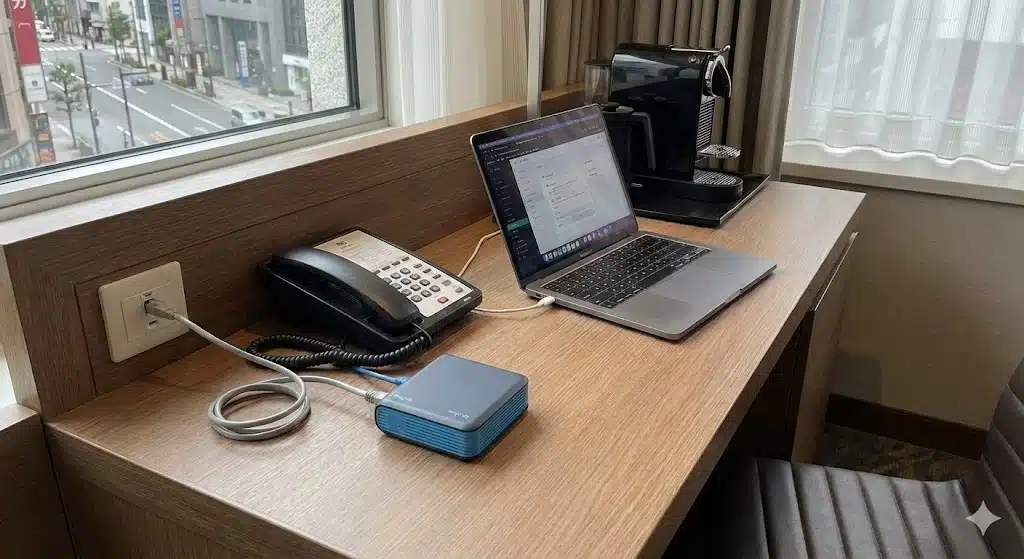
If you travel often, stop trusting hotel software. Use hardware. I use a Travel Router (like the GL.iNet Beryl or Slate) to enforce my own hotel wi-fi security.
How it works for hotel wi-fi security:
- Router joins Hotel Wi-Fi.
- Router broadcasts a Private SSID.
- Your devices join the Private SSID.
Why does this improve hotel wi-fi security? The router holds the VPN connection. Your traffic is encrypted before it broadcasts to the hotel access point.
It also manages the Captive Portal for you. This lets you secure devices like Apple TV or a Roku that cannot run VPN software.
This is the isolation method. You are undetectable.
For high-frequency travel, I carry a GL.iNet Beryl AX.
The Advantage:
- One Login: You authenticate once with the router. All 10 of your devices connect to the router automatically.
- Hardware Shield: The router firewall protects your devices from the rest of the hotel LAN.
- Global VPN: Every device gets the encrypted tunnel.
For a complete breakdown on how to set this up, see my guide on the best VPN service for traveling.
I never check into a hotel without my GL.iNet. It takes 2 minutes to set up and saves me hours of headaches. I literally have it velcroed to the inside of my backpack.
Hardware Configuration
If you acquired the Beryl AX, here is the deployment sequence:
- Plug in the router.
- Connect your phone to the router’s default Wi-Fi network.
- Open the admin dashboard (often
192.168.8.1in your browser). - Choose “Repeater” and select the hotel’s Wi-Fi from the list.
- If the login page fails to load, browse to
http://neverssl.com. - Activate the VPN switch on the side of the unit.
Done. You are now running your own encrypted subnet inside the hotel room.
5 Red Flags of a Bad Connection
You cannot easily see a packet sniffer, but identifying these side effects is critical for hotel wi-fi security:
- Browser Warnings: If Chrome says “Not Secure” on a site like Gmail, stop. Someone is messing with the SSL handshake.
- Sudden Slowness: If the net slows down effectively to zero, your traffic might be re-routed through a hacker’s laptop.
- Fake Updates: A pop-up telling you to “Update Video Player” is 100% malware. Authentic updates happen in the background, not in the browser.
- Weird URLs: If you type a website and end up on a search page full of ads, your DNS is poisoned.
- Double Payment: If the portal asks for your credit card again, go to the front desk. It’s a skimmer.
The Free VPN Fallacy
Travelers often download zero-cost VPNs to save money. This is a mistake.
The Reality: “Free” services monetize the user. They track session data and sell it to brokers. Many leak DNS requests, exposing your true IP address to the hotel router.
In a hostile network environment, a connection drop from a cheap VPN leaves you exposed. It provides false confidence.
Proton VPN offers a viable free tier, but the bandwidth constraints make streaming impossible. For travel, invest in a paid service.
Hotel Network Lexicon
Captive Portal: The web page requiring payment or authorization before internet access is granted.
Rogue AP: An unauthorized access point broadcasting the hotel SSID.
Interception Attack: An attacker positioning themselves between the victim and the gateway.
My Security Routine
I spend roughly 200 nights a year in hotels. This is the checklist I execute upon entry to guarantee my hotel wi-fi security.
- Disconnect “Smart” Devices: I unplug digital assistants and smart clocks immediately.
- Deploy Router: I power on the GL.iNet and bridge the hotel connection.
- Verify Encryption: I check that the “Network Cut-off” is active.
- Zero Footprint: I do not use the hotel Smart TV credentials. I use my own Chromecast.
It is aggressive, but I retain control of my data.
The Danger of Trust: A Real Example
I want to share a specific incident that changed how I operate.
In 2023, a guest at a Las Vegas resort lost $50,000 in cryptocurrency. He connected to the open hotel Wi-Fi. He logged into his exchange.
Attacking him was simple. The thieves were in a room directly below him. They used a high-gain antenna to overpower the hotel’s access point.
When his laptop connected to them, they captured his session cookies. They bypassed his 2FA because he was on the “trusted” network. It took minutes.
The hotel claimed no responsibility. The Terms of Service protected them.
This is why I don’t trust “secure” networks. I trust my own hotel wi-fi security.
Stay invisible.
FAQ: Hotel Wi-Fi Security
Is the login page a security feature?
No. It is a billing feature. It does not apply encryption to your local traffic. Your packets remain visible to anyone on the LAN.
Is 4G/5G safer than hotel Wi-Fi?
Yes. Cellular networks are encrypted by the carrier. Intercepting LTE/5G traffic requires military-grade hardware, whereas intercepting Wi-Fi requires a laptop. Use your hotspot for banking.
Is the Ethernet cable safer?
Slightly. It prevents wireless sniffing, but you are still on the shared local network. You are still visible to the router admin and potentially other guests. A VPN remains necessary.
My Take
Assume the network is hostile. Protect yourself before you connect. That is the only valid strategy for hotel wi-fi security.
Cheat Sheet: Surviving Hotel Internet
| The Threat | The Fix |
|---|---|
| Evil Twin (Fake Hotspot) | NordVPN (Encryption) |
| Packet Sniffing | NordVPN (Encryption) |
| Captive Portal Blocking | Travel Router or Mobile Hotspot |
| Surveillance (Admin) | Obfuscated Servers |
Do not be an easy target. Secure your connection with hardware if possible, or software if necessary.
Your data privacy is worth the investment. Stay encrypted.