🏆 The “Zero Cost” Shortcut
YouTube TV wants $72.99. ITVX (UK) wants £0.00. The math is simple.
Here is how to watch Super Bowl free (legal feeds):
- Step 1: Get IPVanish (83% OFF Deal). It costs less than a stadium hot dog ($2.19).
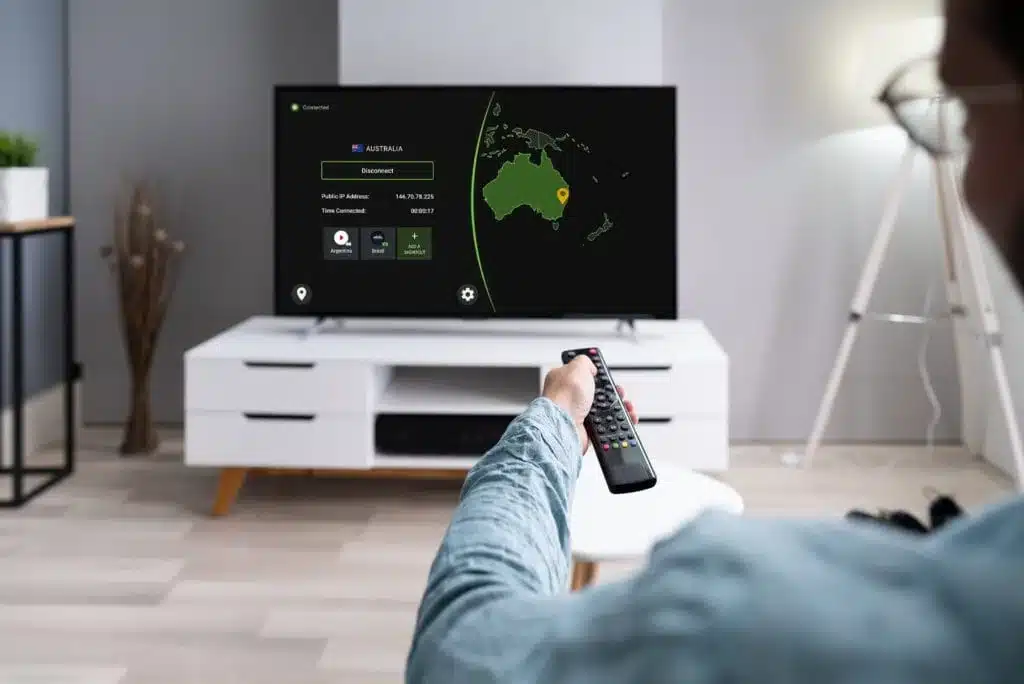
- Step 2: Connect to London (for ITVX) or Sydney (for 7plus).
- Step 3: Create a free account on their site. Watch live.
Stop looking for shady illegal streams.
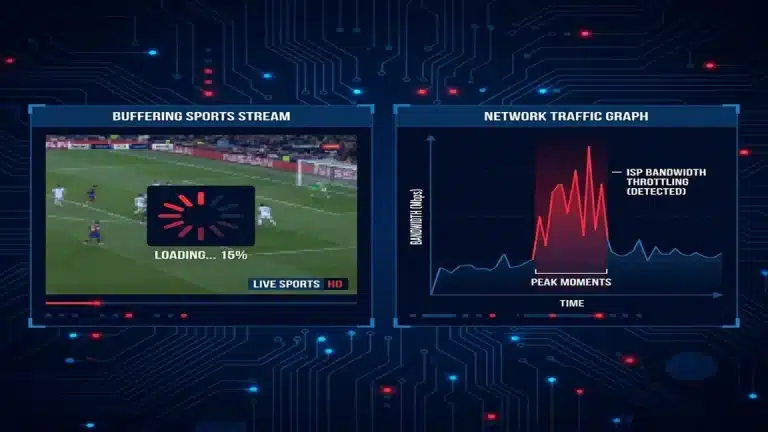
You know the ones. 480p quality. Russian betting ads covering the scoreboard. Buffering right before the 4th down conversion.
There is a better way. A legal way.
While Americans are being gouged $72.99/month for YouTube TV or Hulu + Live TV just to watch the game, other countries broadcast the Super Bowl on free, national television.
Two broadcasters specifically:
- ITVX (United Kingdom): 100% Free. HD quality. English commentary.
- 7plus (Australia): 100% Free. HD quality. English commentary.
The only problem? They block you if your IP address isn’t in their country.
Why You Should Avoid Pirate Streams (Reddit/Discord)
I know the temptation. “Why setup a VPN when I can just click a link on Reddit?”
Here is why I stopped doing that 3 years ago:
- The “4th Quarter Freeze”: Illegal streams are restreamed from a single source. When 5 million people tune in for the 4th quarter, the server crashes. You miss the game-winning drive. Always.
- Malware Risk: Those “Close Ad to Watch” buttons? They often run scripts in the background. My test laptop picked up 3 adware trackers from a “vipbox” stream last month.
- Video Quality: 480p at best. The ball looks like a pixelated mess.
- Legal Risk: ISPs in the US are cracking down on copyright infringement.
ITVX and 7plus are official broadcasters. They have the bandwidth to handle 10 million viewers in 4K/HD. Zero buffering risk (if your VPN is fast).
Detailed Guide: Watch Super Bowl on FireStick (The Best Way)
Most people want to watch the game on their big TV, not a laptop. The FireStick is the perfect tool for this.
Here is the exact workflow I use to get ITVX on my Firestick in the US:
Step 1: Get the VPN App
Search for “IPVanish” on the FireStick home screen.
Install the app. Log in.
Step 2: Connect to Manchester
Don’t just click “Quick Connect”. Go to the location list.
Find United Kingdom -> Manchester. (London servers are often more crowded).
Step 3: Get the ITVX App (The Tricky Part)
If your Amazon account is set to USA, you won’t see ITVX in the app store. You have two options:
Option A (Easy): Use the Silk Browser on FireStick.
- Open Silk Browser.
- Go to itvx.com.
- Login and play. It works surprisingly well.
Option B (Pro): Sideload the APK.
- Install the “Downloader” app.
- Enter code for a trusted APK site (like APKMirror).
- Search for “ITVX Android TV APK”.
- Install it.
Once installed, Open ITVX. It will think you are in the UK because of IPVanish. Stream starts instantly.
Detailed Guide: Watch on PC / Mac
Computer setup is the easiest.
- 1. Close your browser completely. (Chrome often caches location data).
- 2. Launch IPVanish. Connect to London – UK.
- 3. Open an Incognito / Private Window.
- 4. Go to ITVX.com.
- 5. Sign Up / Log In. Use postcode EC1A 1BB.
- 6. Stream.
Pro Tip: Connect your laptop to your TV via HDMI if you don’t have a FireStick. It’s the most reliable wired connection you can get.
Detailed Guide: Watch on iPhone / iPad
This is harder because Apple uses GPS, not just IP address.
1. Connect IPVanish to UK server.
2. Do NOT use the ITVX App. The app will ask for Location Services permission. If you say yes, it sees your GPS is in Ohio. Blocked.
3. Use Safari. Go to itvx.com in the browser.
4. Request Desktop Site. Sometimes mobile sites force the app. Click the “Aa” icon in Safari -> “Request Desktop Website”.
5. Stream.
Troubleshooting: “It Detected My VPN!”
ITVX fights back. Sometimes you get a “Something went wrong” error. Here is the drill to fix it:
1. The “Protocol Switch”
Go to IPVanish Settings -> Protocol.
If you are on WireGuard, switch to OpenVPN (TCP). It is slower, but harder to detect. Reload the page.
2. The “Time Zone” Leak
Your browser tells the site your computer time is “EST” (New York), but your IP is “GMT” (London). Dead giveaway.
Fix: Change your computer/phone clock to London time temporarily.
3. The “DNS Leak”
Ensure “DNS Leak Protection” is ON in IPVanish settings (it is by default). This ensures your ISP doesn’t see your DNS requests.
Here is how to fix that in 2 minutes.
The Trick: “Digital Travel” via VPN
Broadcasters read your IP address like a passport. If it says “USA”, you pay. If it says “UK”, you watch free.
A VPN (Virtual Private Network) swaps your passport.
I tested this personally with IPVanish. Why them? Because they have 100+ servers in London and Sydney, and they don’t get blocked by ITVX like the free VPNs do.
Option 1: Watch on ITVX (United Kingdom)
This is my preferred method. The stream quality is excellent and the commercials are… different (less shouting).
1. Connect to Manchester or London
Open IPVanish. Search for “United Kingdom”. Double-click to connect.
2. Go to ITVX.com
You will need to create a free account.
The “Trip Up”: They ask for a UK Postcode.
The Fix: Use any real UK postcode. Here are some valid ones:
- EC1A 1BB (London)
- M1 1AD (Manchester)
- B1 1AA (Birmingham)
They do not verify it against your credit card (because there is no credit card).
3. Start Streaming
Navigate to the Sports section. Look for “NFL” or “Super Bowl Coverage”. Click play.
Option 2: Watch on 7plus (Australia)
Use this if the UK servers are congested or if you just prefer Australian commentary.
1. Connect to Sydney or Melbourne
In IPVanish, search for “Australia”. Connect.
2. Go to 7plus.com.au
Create a free account.
The “Trip Up”: Australian Postcode.
The Fix: Use 2000 (Sydney) or 3000 (Melbourne).
3. Watch Live
Channel 7 broadcasts the game live. No subscription needed.
Why You Need a Paid VPN (Not a Free One)
“Can’t I just use a free VPN?”
Try it. I dare you.
Here is what happens with free VPNs during the Super Bowl:
- Bandwidth Caps: Most limit you to 500MB. That’s about 8 minutes of the game.
- Server Load: Everyone is trying to do the same thing. Free servers crash under the load.
- Detection: ITVX and 7plus aggressively block known free VPN IP addresses.
IPVanish costs $2.19/month. That is less than a coffee. For that price, you get:
- Unlimited Bandwidth (watch the pre-game, game, and post-game)
- 3,200+ Servers (switch instantly if one is slow)
- WireGuard Speed (no buffering/pixelation)
FAQ: Troubleshooting Streams
Q: ITVX still says “Video not available in your area” even with VPN on.
A: Your browser cache is betraying you. Open an Incognito/Private window and try again. This forces the browser to use the VPN’s location without legacy cookies.
Q: The video is buffering.
A: Switch servers. If you are on “London 05”, try “Manchester 02”. Also, ensure “WireGuard” protocol is selected in IPVanish settings.
Q: Can I watch on my TV?
A: Yes, if you have a FireStick or Android TV. Install the IPVanish app on the TV, connect to UK, then open the ITVX app (you may need to sideload ITVX if your app store is set to US).
Bottom Line: Don’t pay $72 for one game. Trick the internet. Watch for free.