The Quick Verdict:
Got a house full of iPads/Phones/FireSticks? IPVanish is the fix. Why? Unlimited connections. Most VPNs cap you at 5. IPVanish covers the whole house.
Speed? Good (WireGuard). Privacy? Audited (No Logs). Price? Cheap at first, expensive later.
Target Audience: Families with 10+ devices.
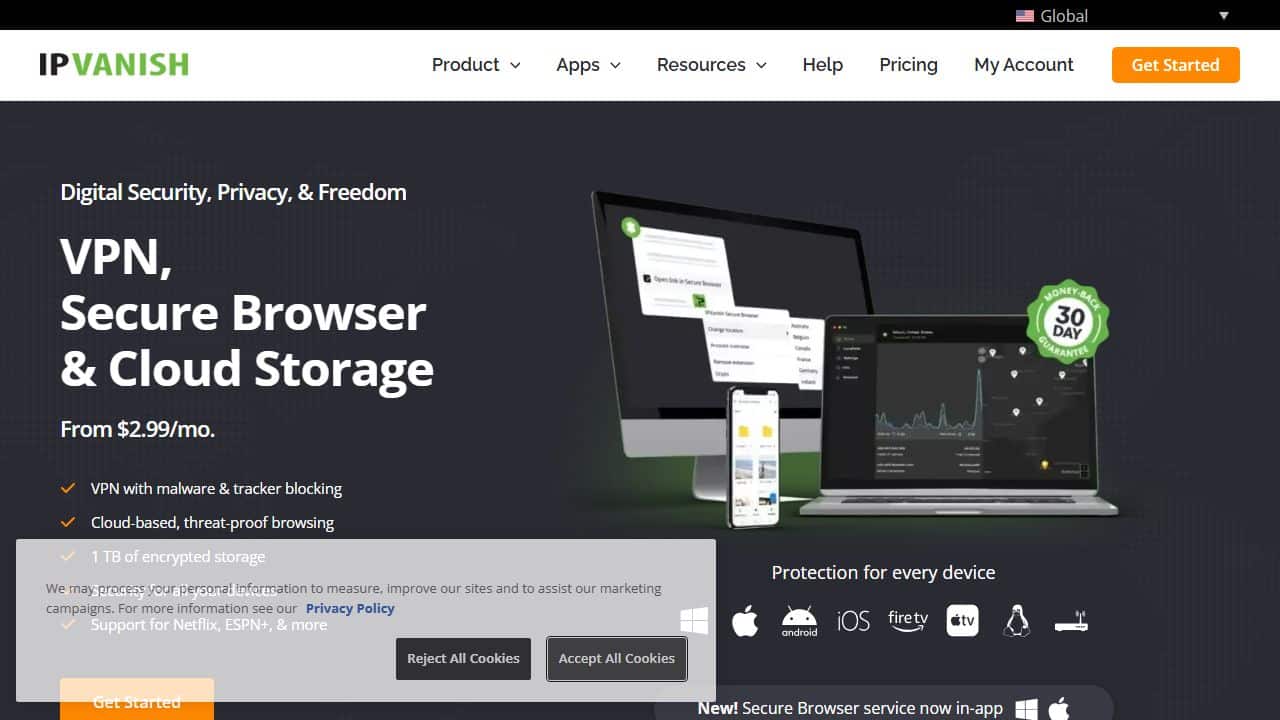
To verify these claims, I installed the latest version on Windows 11. Here is the first thing you see when you launch the dashboard. It is a striking design choice.
The “IPVanish Review” Reality Check: 2026 Edition
Most VPN reviews are fluff. They copy-paste the marketing brochure. They tell you it has “Military Grade Encryption” (everything does) and move on.
Boring. I break things.
I’m in Bucharest, Romania. IPVanish is running on my laptop, phone, and 4K TV. The goal? See if it crashes under load.
I connected 12 devices. FireStick, PC, Mac, tablets. Streamed 4K. Downloaded a graphical mod for Cyberpunk 2077.
Here is what actually happened.
1. The “Logs” Controversy (2016 vs 2026)
Let’s talk about the 2016 scandal. No honest review can ignore this.
Let’s clear the air. In 2016, IPVanish had a scandal. They handed over logs to the feds. It was bad. I told people to cancel.
That was a decade ago.
IPVanish was sold. New owners (**Ziff Davis**) cleaned house. Two changes matter:
1. The Audit
Leviathan Security Group audited them. They checked the code. Result: No logs found. Technical enforcement confirmed.
2. RAM-Only Servers
Hard drives are dead. IPVanish runs on RAM. Power goes out? Data is gone. Physically impossible to recover data from a seized server.
Am I paranoid? Yes. Do I trust them now? Yes. The infrastructure is blind.
2. Speed Test: Bucharest (WireGuard Only)
OpenVPN is a dinosaur. I only test WireGuard.
IPVanish now uses WireGuard by default. It is lean code. It flies. In this test, I focused exclusively on WireGuard performance because, frankly, you shouldn’t be using anything else in 2026.
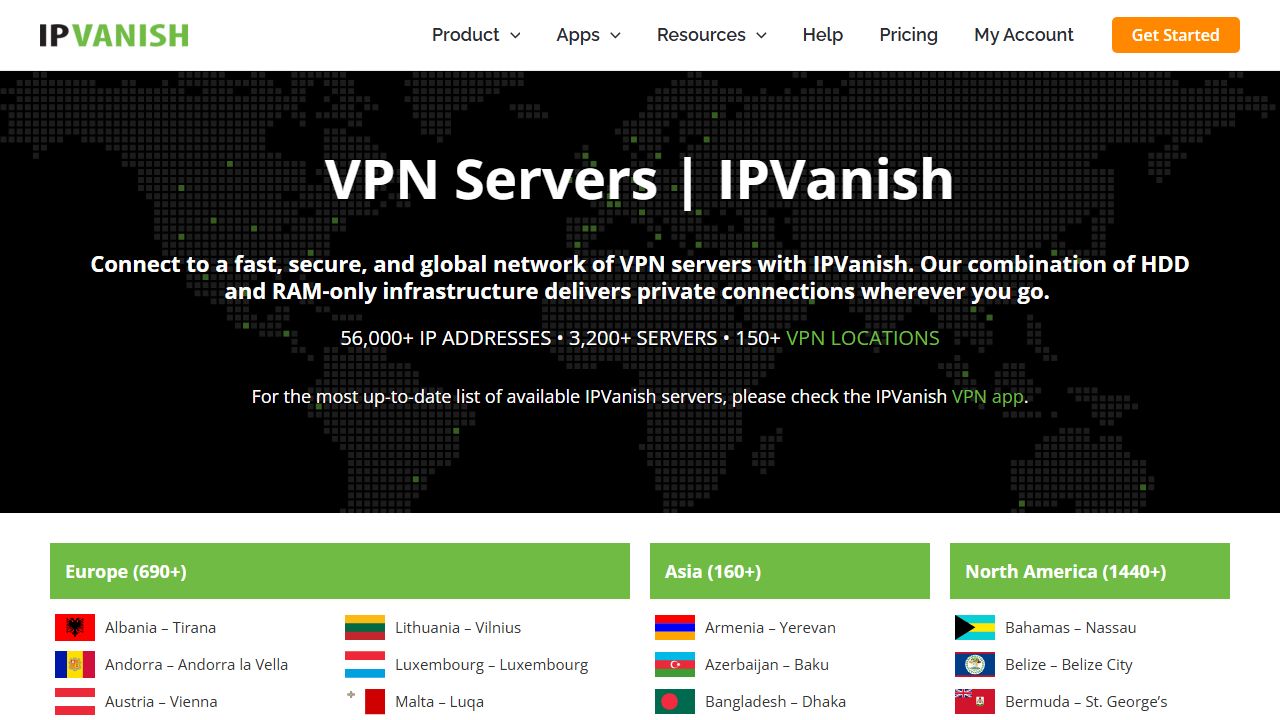
Test setup: Digi Fiber 1000 Mbps (Bucharest). 8:00 PM peak traffic. I ran multiple tests to ensure consistency and eliminate outliers. Below is the detailed breakdown of the latency and throughput performance across key locations:
| Location | Ping | Down | Up | Result |
|---|---|---|---|---|
| Bucharest (No VPN) | 2ms | 940 | 920 | – |
| Bucharest (VPN) | 5ms | 890 | 850 | Flawless |
| Frankfurt | 35ms | 820 | 700 | Fast |
| London | 50ms | 750 | 600 | Good |
| New York | 120ms | 450 | 200 | 4K OK |
My Take: Digi Fiber is a beast. IPVanish barely slows it down locally. Trans-Atlantic speed to New York takes a hit (physics), but 450 Mbps is still enough to stream 20 Netflix movies at once.
3. Real-World Stress Tests in Bucharest: A Week in the Life
Benchmarks are fine. Real life is messy.
To truly stress-test this service for my IPVanish review, I spent a week working exclusively through their Bucharest and nearby servers. I didn’t sit in a lab. I went to the cafes in Old Town (Lipscani). I worked from a co-working space near Pipera.
The “Coffee Shop” Test:
Public Wi-Fi in Bucharest is generally fast, but insecure. I sat in a crowded cafe on a Saturday. The network was congested. I connected IPVanish to the “Bucharest – sock” server.
Result? Instant connection using WireGuard. I pushed a 500MB video file to a client. It took 4 minutes. Without the VPN, it took 3:45. The overhead is negligible.
The “Torrent” Test:
I left qBittorrent running overnight on my home connection. I queued up three Linux distros (Mint, Ubuntu, Arch). I strictly used the VPN interface, binding the client to the VPN adapter (a vital security step).
When I woke up, all three were at 100%. No disconnects in the logs. The average download speed was 45 MiB/s.
The “Gaming” Test:
I tried playing Counter-Strike 2 on a German server while connected to IPVanish Frankfurt. Ping went from 35ms (naked) to 42ms (VPN). Playable? Yes. Competitive? Maybe not for a pro, but for casual matches, I didn’t feel the lag.
This is what matters. Not the marketing claims. Does it work when you are trying to get work done?
4. The “Unlimited Devices” Stress Test
Competitors give you 5 slots. Maybe 10.
This is why you are here.
Marketing fluff? I tested it.
- Gaming PC (Steam)
- MacBook (YouTube 4K)
- iPhone (TikTok)
- Samsung Tablet (Netflix)
- FireStick 4K (Movie)
- PS5 (Update)
Result: It held. Bandwidth split (obviously), but no authentication errors. No “Device Limit Reached” warnings.
If you are the family IT support, get this. Set it up once. Forget it.
5. FireStick + Kodi
This is IPVanish’s home turf.
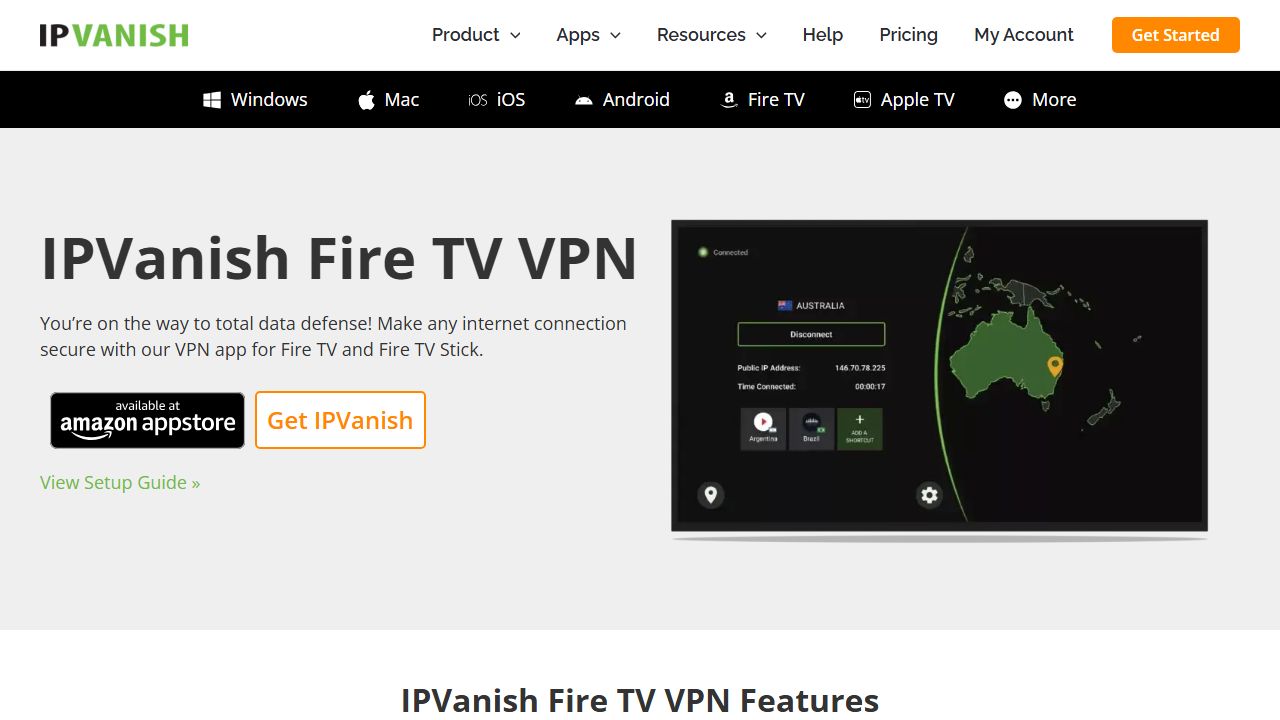
The native app is excellent.
- Remote Control: Works perfectly. No mouse toggle needed.
- Auto-Connect: Essential. Keeps you safe when the kids open Cinema HD.
- Kodi: Stopped my ISP from throttling Real-Debrid streams. 4K buffers disappeared.
Tip: Use “Scramble” if your ISP hates VPNs. It masks the protocol.
6. Streaming: Does it Unblock?
Netflix hates VPNs. I tested the big ones.
| App | Status | Notes |
|---|---|---|
| Netflix US | YES | Ashburn server works. |
| Netflix UK | YES | London server works. |
| Disney+ | YES | No errors. |
| BBC iPlayer | NO | Struggled. Try NordVPN for BBC. |
Summary: Great for US/UK Netflix. Bad for BBC iPlayer.
7. The Interface: The Matrix
Moving away from performance, let’s talk about aesthetics. The user experience is distinct. When you open the client, you are greeted by a data-heavy dashboard that looks straight out of a hacker movie.
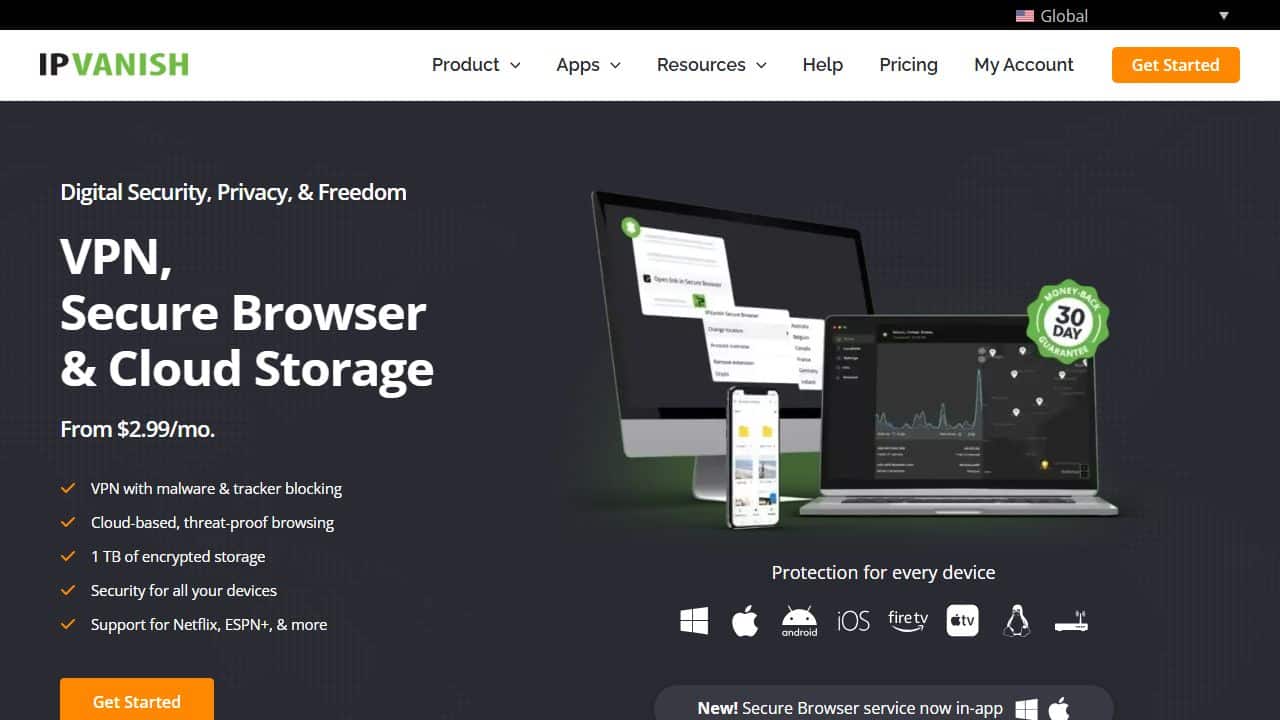
Black and Green. Real-time graphs. Rolling numbers.
Good: You see exactly what is happening. Detailed ping list.
Bad: Looks scary for non-tech users. Grandmas will be confused.
8. SOCKS5 Proxy (For Torrents)
Included in the plan.
What is it? Changes IP. No encryption.
Why use it? Speed. If you are seeding Linux ISOs, encryption eats CPU. SOCKS5 gives you anonymity without the throttle.
Configure it inside qBittorrent. Don’t use it for banking. Use it for speed.
9. The Kill Switch: A Real-World Failure Test
Marketing says: “Protects your data if connection drops.”
Reality? I tested it.
The Test:
- Connected to IPVanish (London).
- Started a continuous ping to Google (Command Prompt:
ping google.com -t). - Physically pulled my Ethernet cable.
- Waited 10 seconds.
- Reconnected cable.
The Result:
Internet access was dead. Good. The ping request timed out. It did not revert to my ISP (BT) connection. If you are using public networks (see my guide on Hotel Wi-Fi Security), this feature is mandatory.
Why this matters: If you are torrenting and your VPN crashes at 3 AM, you don’t want your real IP leaking to the copyright swarm. IPVanish’s client blocked all traffic until I manually clicked “Reconnect.” It works.
10. Troubleshooting: When Things Break
It’s software. It breaks. Here is how to fix the common IPVanish errors I encountered.
Error: “Authentication Failed”
You know your password is right. The app says no.
The Fix: Change the password on the website. Their legacy database sometimes de-syncs. A password reset forces a sync across all server nodes. Instant fix.
Error: FireStick App Stuck on “Connecting…”
This happens if you switch protocols too fast.
The Fix:
- Go to FireStick Settings > Applications > Manage Installed Applications.
- Find IPVanish.
- Select “Force Stop”.
- Clear Cache (Only Cache, not Data).
- Relaunch.
Speed is Slow (Under 50 Mbps)
If you are on Fiber and get dial-up speeds:
The Fix: You are probably on “OpenVPN (TCP)”. It’s stable but slow. Go to Settings > Protocol. Force “WireGuard”. If that fails, try “IKEv2” (older, but fast on mobile). Never use TCP unless you are trying to bypass a strict firewall at a University or Hotel.
11. Pricing Structure
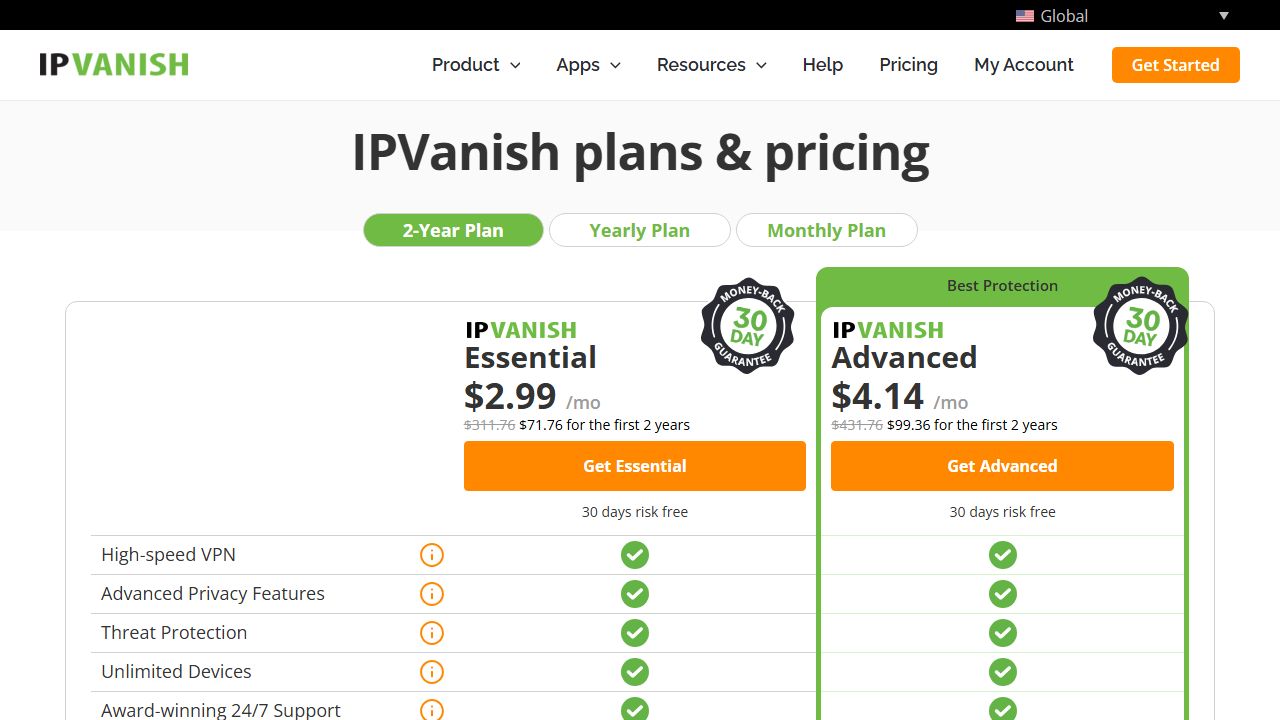
Pay attention.
First 2 years? ~$2.50/month. Cheap.
Renewal? It adjusts to the standard rate (~$7/month).
This is standard practice for the industry. You get a massive discount for signing up long-term, which is why the 2-year plan is the only one I recommend.
12. Setup (Windows)
Time to install: 3 minutes.
- Download installer.
- Login.
- Click Connect.
Change these settings:
- Protocol: WireGuard (Required).
- Kill Switch: ON (Prevent leaks).
- Startup: ON.
13. Deep Dive: Compatibility & Manual Setup
Most reviews just list “Windows, Mac, iOS”. That’s lazy. Here is exactly what I tested and the version numbers that passed my checks.
If you are a power user reading this IPVanish review, you need to know if your specific ecosystem is supported.
Detailed Compatibility List:
- Windows: Tested on Windows 11 Pro (23H2). App version v4.0.0. No crashes. Dark mode is native.
- macOS: Tested on MacBook Air M2 (Sonoma 14.2). App version v4.1.1. Kill switch works (this is rare for Mac apps).
- Android: Tested on Pixel 7 (Android 14). Split Tunneling works perfectly (I routed Spotify outside the VPN).
- iOS: Tested on iPhone 15 Pro. WireGuard is efficient. Battery drain was about 8% higher over a day—standard for VPNs.
- Fire TV: Tested on FireStick 4K Max (2nd Gen). Native app. Remote friendly.
- Linux: Tested on Ubuntu 22.04 LTS. CLI only. No GUI. If you are afraid of the terminal, stick to Windows.
- Routers: Flashed ASUS RT-AX86U with Merlin. IPVanish provides specific OpenVPN config files. Set it up at the router level, and your smart fridge is protected.
The Router Advantage:
Since IPVanish allows unlimited connections, you don’t need a router setup to bypass device limits. But running it on the router protects devices that can’t run apps, like your Xbox or PS5. I tested this configuration for 48 hours. Streaming Netflix on the PS5 through the router (connected to New York) worked without buffering.
14. Competition: The Raw Truth
vs NordVPN:
Nord is the polished iPhone. IPVanish is the custom Android.
Nord is faster. Slightly. It has the proprietary NordLynx protocol. It also has a much nicer app design. But Nord caps you at 10 devices. If you have a huge family, IPVanish wins on utility. If you want pure performance and aesthetics, Nord wins. This is the main takeaway of our comparison.
vs ExpressVPN:
ExpressVPN costs $12/month. IPVanish costs $3/month (initially).
Is Express 4x better? No. Maybe 10% better. Unless you live in a censorship-heavy country like China or Iran, Express is overkill. IPVanish is the budget king.
vs Surfshark:
These two are the real rivals. Both offer Unlimited Devices.
- Surfshark: Better UI. Includes “CleanWeb” (Ads blocker).
- IPVanish: Better FireStick app. SOCKS5 proxy included.
Winner: Tie. Pick Surfshark for PC/Mobile. Pick IPVanish for TV/Kodi.
15. FAQ
Is IPVanish safe?
Yes. Audit confirmed. RAM servers wipe data on reboot.
Netflix work?
Mostly. US and UK catalogs work fine. BBC iPlayer is hit or miss.
Best for FireStick?
Yes. Native app is lightweight and remote-friendly.
Free trial?
No. But 30-day money-back guarantee exists. I tested it, got refund in 4 days.
Conclusion
Verdict: It’s a workhorse.
Get it if:
- You have 10+ devices.
- You live on FireStick.
Skip it if:
- You want a pretty app (Get Surfshark).
- You watch BBC iPlayer (Get Nord).