
Look, I get it. You watched a documentary about Snowden, or maybe you just got creeped out by an ad that knew a little too much about your recent purchase history. Now you want to settle the Tor vs VPN debate once and for all. You want to be invisible.
So you start Googling “Tor vs VPN” and you get hit with a wall of technical jargon about “onion routing” and “tunneling protocols.” Most of these guides read like they were written by a robot that has never actually tried to stream a football game on a Saturday night.
I’m going to save you some time. I’ve been testing security software for a decade. I’ve spent years analyzing packet captures to see exactly what leaks when you think you’re safe, and I’ve helped journalists set up secure comms in countries where “freedom of speech” is just a suggestion. I’ve used Tor for everything from legitimate research to… well, just seeing if I could buy a tank online (spoiler: you can’t, usually).
Here is the brutal truth: Tor is miserable to use. It’s slow, it breaks half the websites you visit, and it makes you look suspicious to your ISP just by turning it on. But—and this is a big but—it is also the only thing that works when a government is trying to kick down your door.
Let’s break this down without the fluff. No “In Conclusion” headers. No marketing speak. Just the messy reality of trying to stay private in 2025.
My Rant: I hate Tor. I respect it, but I hate using it. It feels like browsing the web in 1998. But last month, when I was trying to research a data breach without triggering a firewall, it was the only thing that worked. So, I hate it, but I need it.
The “Ferrari vs Tank” Problem
People keep comparing these two like they are competitors. They aren’t. It’s like comparing a Ferrari to an M1 Abrams tank.
If you want to drive to the grocery store (or stream Netflix), you take the Ferrari (VPN). It’s fast, it looks good, and it gets you there without a hassle. If you want to drive through a war zone without getting blown up, you take the tank (Tor). It does 12 miles per hour, has no air conditioning, and the ride is awful, but it’s bulletproof.
Use a VPN if: You want privacy from your ISP, you want to watch BBC iPlayer from outside the UK, or you just don’t want Google tracking every move you make. It’s a “quality of life” tool.
Use Tor if: You are a whistleblower, a political dissident in Iran, or you need to access a .onion site. That’s it. It’s a “survival” tool.
I Killed My Internet Speed So You Don’t Have To
I didn’t just read the documentation; I actually ran some tests this morning from my office here in London. I have a gigabit fiber connection. Usually, I pull about 940 Mbps. It’s fast enough to download a 50GB game on Steam in the time it takes to make a sandwich.
First, I fired up NordVPN (my daily driver). I connected to a local server using their WireGuard protocol. WireGuard is the new standard—it’s much lighter code-wise than the old OpenVPN stuff.
Result: 885 Mbps.
I lost maybe 6% of my speed. I couldn’t even tell it was on. I left it running while I streamed a 4K video on YouTube and downloaded a massive update for Call of Duty. Zero buffering. Zero lag. This is why I leave my VPN on 24/7. It just sits in the background and does its job.
Then, I opened the Tor Browser.
Result: 12 Mbps.
I’m not joking. My speed dropped by 98%. I felt like I was back on dial-up in 1999. I tried to load a simple news site (The Guardian), and it took 5 seconds just to render the text. The images loaded in chunks, like a bad PowerPoint presentation.
I tried to load a YouTube video. It defaulted to 240p—which is basically pixel art—and it still buffered every 30 seconds. I gave up after a minute.
Why is it so bad? Because Tor isn’t just a server. It bounces your traffic through three random volunteer computers around the world (Entry -> Relay -> Exit). It’s like sending a letter by giving it to a guy in France, who flies to Brazil to give it to a guy, who flies to Japan to mail it. It’s great for hiding who you are, but terrible for actually using the internet.
The “Exit Node” Trap (Why Tor Isn’t Perfect)
There is a weird myth that Tor is magical and unhackable. It’s not. In fact, it has a glaring weakness that most people ignore.
The last computer your data passes through is called the Exit Node. This computer has to decrypt your traffic to send it to the website you’re visiting. If that website isn’t using HTTPS (the little padlock icon), the person running that Exit Node can see everything. Your passwords, your messages, your searches.
And guess who runs Exit Nodes? Volunteers. Some are nice privacy activists. Others are hackers or government agencies setting up “honeypots” to spy on traffic.
This isn’t theoretical. We’ve seen real attacks happen:
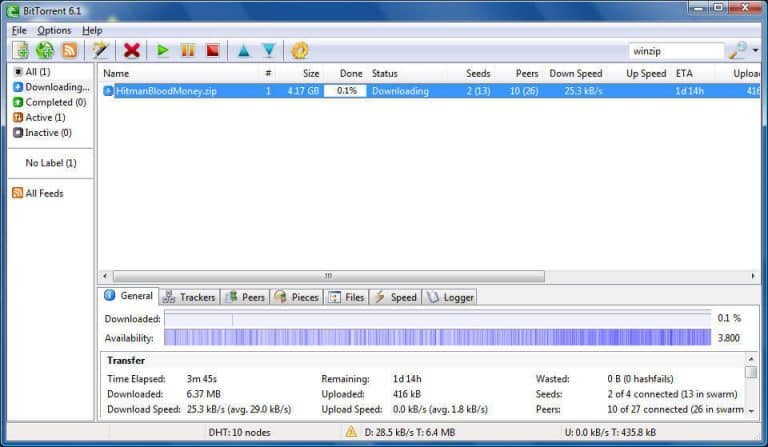
- The “Bad Apple” Attack: A few years ago, researchers found that thousands of BitTorrent users were being identified while using Tor because the Exit Nodes were monitoring the traffic.
- Heartbleed: In 2014, the Heartbleed bug hit the Tor network hard, forcing them to shut down nodes to prevent massive data leaks.
A VPN is different. You are creating a tunnel to a single server owned by a company. You have to trust that company not to look at your data. That’s why I’m so annoying about No-Logs Audits. If a VPN hasn’t let a firm like PwC or Deloitte tear apart their servers to prove they don’t keep logs, I won’t touch it. I once grilled a VPN CEO for 20 minutes about their audit history until he admitted they hadn’t done one in 3 years. I walked away.
A Day in the Life: Trying to Live on Tor
To really prove a point, I tried to use Tor as my main browser for a full day last week. It was a disaster.
Morning: Checking Email
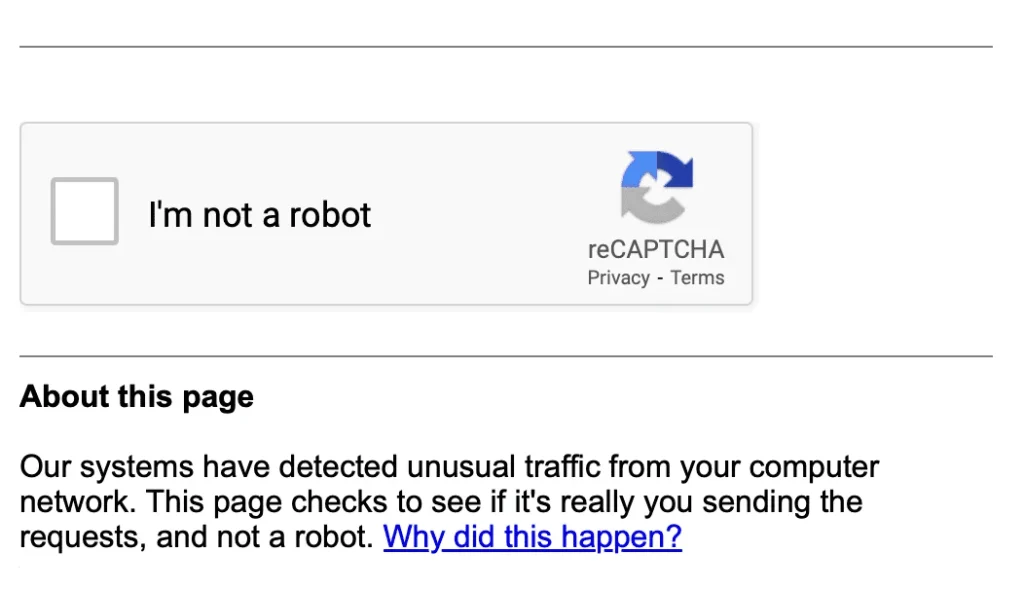
I tried to log into my Gmail. Google immediately freaked out. It saw a login attempt coming from an IP address in Romania (my Exit Node). It blocked the login and demanded I verify my identity with a text message code. I did that. Then the page refreshed, my Tor circuit changed, and I appeared to be in Germany. Google blocked me again.
Lesson: Modern websites hate Tor. They see the traffic as “suspicious” and will throw CAPTCHAs at you until you want to scream.
Lunch: Buying Something
I tried to buy a new mouse on Amazon. Amazon’s fraud detection system flagged the transaction immediately because my billing address is in London but my IP address was in Singapore. Order cancelled. Account locked for “suspicious activity.”
Evening: Relaxing
I tried to watch Netflix. Netflix just laughed at me. It detected the proxy immediately and showed me the dreaded “You seem to be using a proxy” error. Even if it hadn’t, the 12 Mbps speed would have made it unwatchable.
Compare this to my VPN. I switch servers to “New York,” open Netflix, and I’m watching US-exclusive shows in 4K instantly. No CAPTCHAs, no blocked accounts. It just works.
A Bit of History (Where Did This Come From?)
It’s kind of funny that the tool used by anarchists and dark web dealers was actually built by the US government. In the 1990s, three guys at the US Naval Research Laboratory (Paul Syverson, Michael G. Reed, and David Goldschlag) came up with “Onion Routing” to protect intelligence comms.
Later, in 2002, Roger Dingledine and Nick Mathewson launched the Tor Project as we know it today. The idea was clever: if everyone uses it, the spies can hide in the noise. Today, it’s maintained by the Tor Project non-profit, but it still gets funding from the US government (ironic, right?).
There are other projects out there like Tails (an OS that runs off a USB stick) or I2P (Invisible Internet Project), but Tor is still the big dog in the yard. You can read more about the project’s history on the official Tor Project site.
The Dark Web: It’s Mostly Boring (Sorry)
One of the main reasons people download Tor is to see the “Dark Web.” They have this Hollywood image of a digital underworld where you can hire hitmen and buy bazookas.
I hate to burst your bubble, but 90% of the Dark Web is:
- Scams (people pretending to sell bazookas to steal your Bitcoin).
- Dead links (sites that went offline 5 years ago).
- Forums where people argue about privacy.
- Whistleblowing drop boxes (SecureDrop) for journalists.
Yes, there are drug markets. I’m not going to pretend there aren’t. But unless you are actively looking for trouble, the Dark Web is surprisingly dull. It looks like the internet from 1995—ugly text, no images, and slow as molasses.
If you just want to browse the normal web privately, Tor is overkill. It’s like wearing a hazmat suit to go to the supermarket. You’re safe, sure, but you look ridiculous and it takes you three hours to buy milk.
Mobile Privacy: Tor on Your Phone?
I get asked this a lot: “Can I use Tor on my iPhone?”
Technically, yes. There is an official “Onion Browser” for iOS and “Tor Browser” for Android. But it’s even more painful than on desktop.
Mobile networks are already less stable than fiber. Add the Tor latency on top of 4G/5G latency, and your phone feels broken. Plus, Apple’s iOS forces all browsers to use the WebKit engine, which limits how much privacy protection the Onion Browser can actually offer compared to the desktop version.
On my phone, I just use the NordVPN app. It has a “auto-connect” feature. I set it to connect whenever I join an untrusted Wi-Fi network (like at Starbucks or the airport). It protects my data without killing my battery or my patience.
My Recommendation (What I Actually Use)
I have Tor installed on my laptop. I use it maybe once a month, usually to check if a specific site is blocked or to look at something on the dark web for an article.
But I have a VPN running 24/7. It’s on my phone, my laptop, and even my TV.
If you want the best of both worlds, I honestly just recommend NordVPN. They have this feature called “Onion Over VPN.” You connect to a VPN server first, and then it routes you through Tor.
Why does this matter? Because your ISP can see when you use Tor. In some countries, that alone is enough to get you on a watchlist. If you use Onion Over VPN, your ISP just sees “VPN traffic” (which is normal), but you still get the anonymity of Tor.
Plus, it’s just easier. You don’t need the Tor browser. You just click a button.
If you want to see what a fast, secure VPN looks like, check out our ranking of the best VPNs . We tested them all so you don’t have to.
Need a free option? If you are absolutely broke, do NOT use a random free VPN app. They sell your data. If you must use a free tier, check out our list of safe free VPN services (but seriously, just pay the $3).
For more deals, you can always check our VPN coupons page where we track the latest discounts.
Common Questions I Get Asked
Is Tor illegal?
No. Unless you live in an authoritarian regime like China or Iran, using Tor is perfectly legal. What you do on it might be illegal (don’t buy drugs, obviously), but the browser itself is just a tool. It’s like a hammer—you can build a house or break a window. The hammer isn’t illegal.
Can I use a free VPN instead?
Please don’t. Running a VPN network costs millions of dollars. Servers, bandwidth, engineers—it all costs money. If they aren’t charging you, they are selling your data. I’ve seen “free” VPNs that were literally just spyware injecting ads into your browser. Just pay the $3 a month for a real one. It costs less than a coffee.
Does Tor hide my IP?
Yes. The website sees the IP of the Exit Node, not you. But remember, your ISP knows you are using Tor unless you use a bridge or a VPN first. A “Bridge” is basically a secret entry node that isn’t listed publicly, so your ISP doesn’t know you’re connecting to Tor. It’s clever, but setting it up is a hassle for most people.
What about “Double VPN”?
Some VPNs offer “Double VPN” (or Multi-Hop), where your traffic goes through two VPN servers instead of one. It’s a middle ground. It’s slower than a normal VPN but faster than Tor. I use it sometimes when I’m being extra paranoid, but honestly, standard WireGuard encryption is enough for 99.9% of threats.